> ## Documentation Index
> Fetch the complete documentation index at: https://docs.dume.ai/llms.txt
> Use this file to discover all available pages before exploring further.
# Delay Node
> Control workflow execution timing with Delay Node. Pause workflows for defined periods to manage rate limits, coordinate timing, and control automation pacing.
 ## Overview
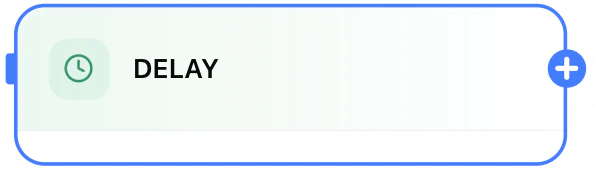
The Delay Node pauses execution, then resumes with the next node. Useful for spacing actions, waiting for external processing, or creating timed sequences.
## Overview
The Delay Node pauses execution, then resumes with the next node. Useful for spacing actions, waiting for external processing, or creating timed sequences.
 ## Modes
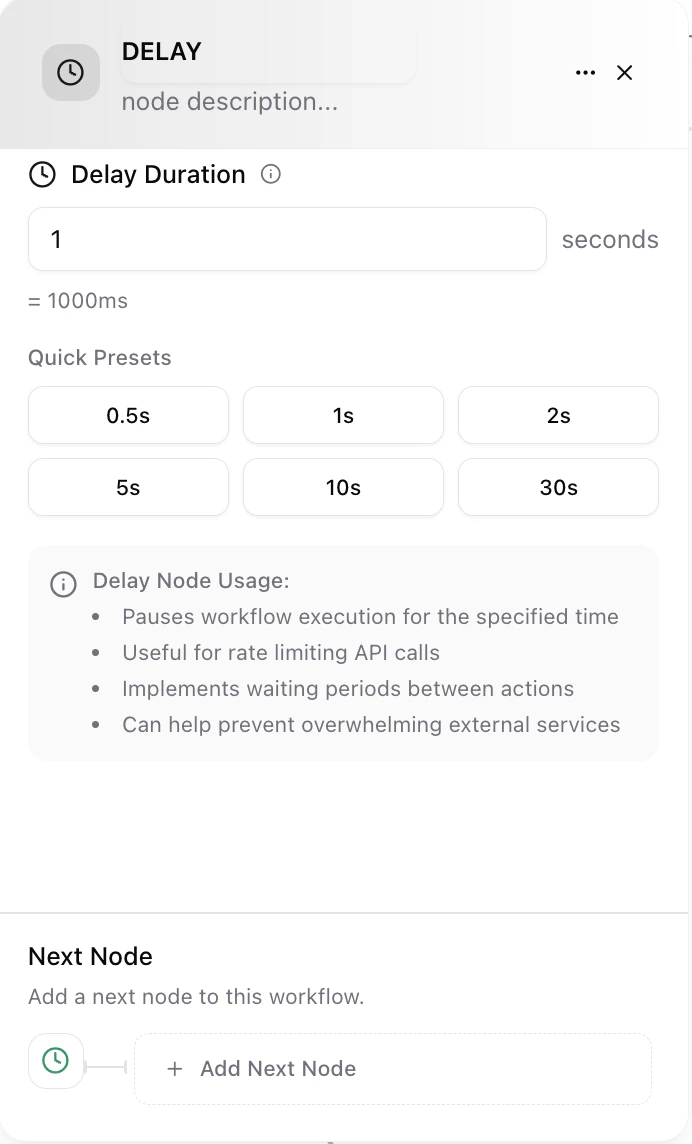
* Fixed duration: e.g. 30s, 5m, 2h, 1d
* Until timestamp: waits until a specified future date/time
* Dynamic: duration derived from prior node output (e.g. an API returns retryAfter)
* Backoff/Jitter: expands delays on repeated retries to reduce contention
## Configuration
| Field | Purpose |
| ------------------------------ | ----------------------------------------------------------- |
| Mode | Select fixed, until timestamp, dynamic, or backoff |
| Value / Expression | Duration (e.g. 5m) or date/time (ISO) or variable reference |
| Max Wait | Safety cap to prevent excessive holding |
| Jitter | Randomize delay within a range (e.g. ±10%) |
| Cancel On Condition (optional) | Skip remaining wait if a condition becomes true |
| Tag (optional) | Label for later audit or monitoring |
## Examples
```
Wait 10m then send follow‑up summary
Pause until 09:00 next business day
Use dynamic delay: /previous.retryAfter seconds
Backoff retry: start 30s, double up to 5m
```
## Common Uses
* Rate limiting API calls
* Staggered notifications (meeting created → wait 1h → send recap)
* Drip / nurture sequences
* Retry after transient failure (paired with a Condition Node)
* Cooling period before destructive actions
## Best Practices
| Goal | Tip |
| ----------------- | ------------------------------------------------------- |
| Avoid stale data | Re-fetch or validate state after long delays |
| Resilience | Combine with Condition Node to abort if context changes |
| Predictability | Prefer fixed or until timestamp for scheduled handoffs |
| Efficient retries | Use exponential backoff + jitter, cap maximum delay |
## Troubleshooting
| Issue | Fix |
| ----------------- | ------------------------------------------------------------------------ |
| Workflow stuck | Check timestamp mode is in future; verify max wait |
| Delay ignored | Ensure mode configured; dynamic expression resolves to positive duration |
| Too long | Lower max wait or adjust backoff parameters |
| Wrong resume time | Confirm time zone and ISO format for timestamp mode |
Long delays consume schedule capacity; split very long waits into shorter cycles with state checks if data may change.
Delay Node configured. Workflow will resume after the specified pause.
## Modes
* Fixed duration: e.g. 30s, 5m, 2h, 1d
* Until timestamp: waits until a specified future date/time
* Dynamic: duration derived from prior node output (e.g. an API returns retryAfter)
* Backoff/Jitter: expands delays on repeated retries to reduce contention
## Configuration
| Field | Purpose |
| ------------------------------ | ----------------------------------------------------------- |
| Mode | Select fixed, until timestamp, dynamic, or backoff |
| Value / Expression | Duration (e.g. 5m) or date/time (ISO) or variable reference |
| Max Wait | Safety cap to prevent excessive holding |
| Jitter | Randomize delay within a range (e.g. ±10%) |
| Cancel On Condition (optional) | Skip remaining wait if a condition becomes true |
| Tag (optional) | Label for later audit or monitoring |
## Examples
```
Wait 10m then send follow‑up summary
Pause until 09:00 next business day
Use dynamic delay: /previous.retryAfter seconds
Backoff retry: start 30s, double up to 5m
```
## Common Uses
* Rate limiting API calls
* Staggered notifications (meeting created → wait 1h → send recap)
* Drip / nurture sequences
* Retry after transient failure (paired with a Condition Node)
* Cooling period before destructive actions
## Best Practices
| Goal | Tip |
| ----------------- | ------------------------------------------------------- |
| Avoid stale data | Re-fetch or validate state after long delays |
| Resilience | Combine with Condition Node to abort if context changes |
| Predictability | Prefer fixed or until timestamp for scheduled handoffs |
| Efficient retries | Use exponential backoff + jitter, cap maximum delay |
## Troubleshooting
| Issue | Fix |
| ----------------- | ------------------------------------------------------------------------ |
| Workflow stuck | Check timestamp mode is in future; verify max wait |
| Delay ignored | Ensure mode configured; dynamic expression resolves to positive duration |
| Too long | Lower max wait or adjust backoff parameters |
| Wrong resume time | Confirm time zone and ISO format for timestamp mode |
Long delays consume schedule capacity; split very long waits into shorter cycles with state checks if data may change.
Delay Node configured. Workflow will resume after the specified pause.