> ## Documentation Index
> Fetch the complete documentation index at: https://docs.dume.ai/llms.txt
> Use this file to discover all available pages before exploring further.
# Dume CoWork
> Beginner-friendly guide to Dume CoWork, the desktop AI agent controlled from WhatsApp. Learn setup, capabilities, workflows, security, and best practices.
# Dume CoWork: Desktop AI Agent Guide for Beginners
Your AI desktop coworker that executes tasks, organizes files, and builds reports directly from your WhatsApp chat.
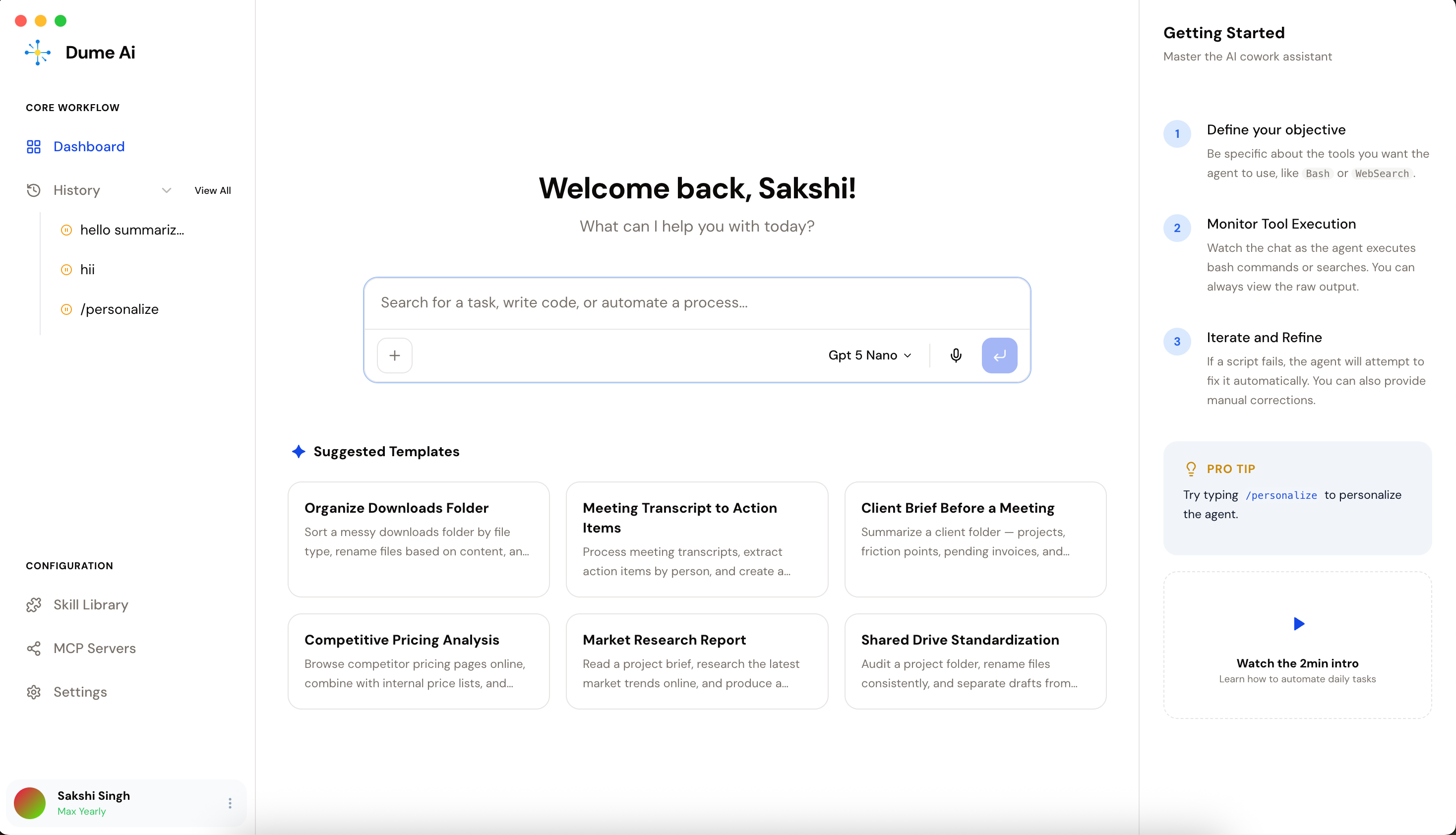
Dume CoWork is an AI coworker that runs on your desktop and can be controlled from WhatsApp. You assign tasks in plain English, Dume plans the work, asks for approval on major actions, and delivers outputs like reports, sheets, summaries, and organized files.
This page is designed for first-time users and teams who want a simple, practical setup.
Dume CoWork works best when you give clear goals, target folders, and output format instructions (for example: "save as CSV" or "use this report template").
## Why Teams Use Dume CoWork
Dume CoWork helps teams:
* Automate repetitive file and reporting work
* Create spreadsheets and summaries from messy data
* Run multi-step desktop tasks with human approval
* Stay in control while reducing manual busywork
* Trigger and monitor work from WhatsApp when away from desk
Your files and actions stay local to your machine unless you explicitly connect external services.
Send tasks from your phone and return to completed work on your computer.
Dume proposes a plan first for major actions like move, rename, write, or multi-step execution.
No coding or prompt engineering required. Just describe the task in plain language.
## Usecases
Clean and sort folders by type, date, and naming pattern.
```text theme={null}
Refactor the workspace directory by grouping files into logically organized folders based on their content type and contextual purpose.
```
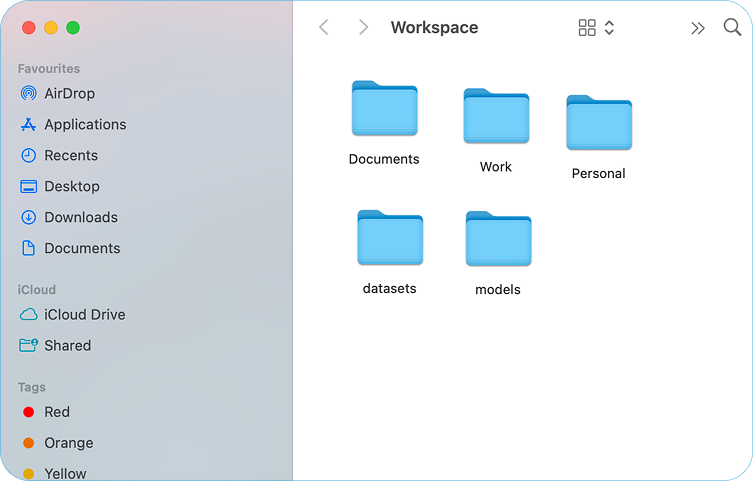 **Typical output:** sorted folders + rename suggestions + review list.
Extract structured fields from receipts, invoices, and mixed documents.
```text theme={null}
Extract data from this folder of receipts and invoices. Create a spreadsheet and save it as expense_report_q1.csv
```
**Typical output:** sorted folders + rename suggestions + review list.
Extract structured fields from receipts, invoices, and mixed documents.
```text theme={null}
Extract data from this folder of receipts and invoices. Create a spreadsheet and save it as expense_report_q1.csv
```
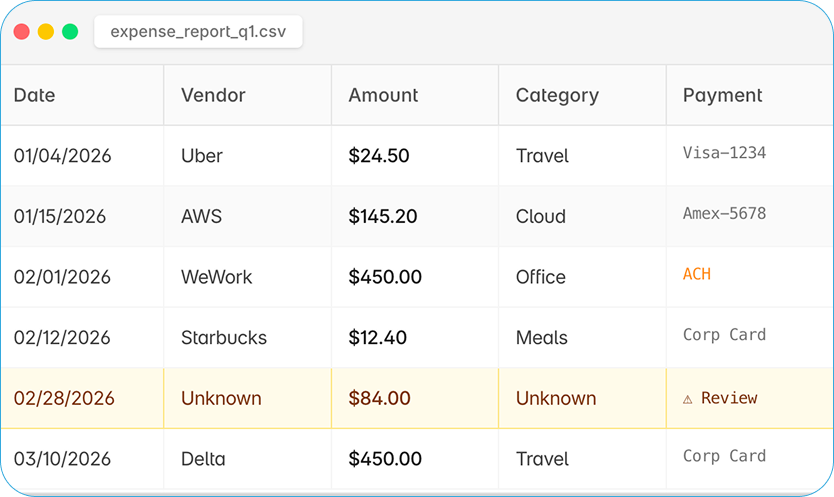 **Typical output:** clean CSV/XLSX report ready to share.
Combine updates from tools and notes into polished documents.
```text theme={null}
Prepare structured notes from this information, organizing key points into clear sections like agenda, discussion, and next steps.
```
**Typical output:** clean CSV/XLSX report ready to share.
Combine updates from tools and notes into polished documents.
```text theme={null}
Prepare structured notes from this information, organizing key points into clear sections like agenda, discussion, and next steps.
```
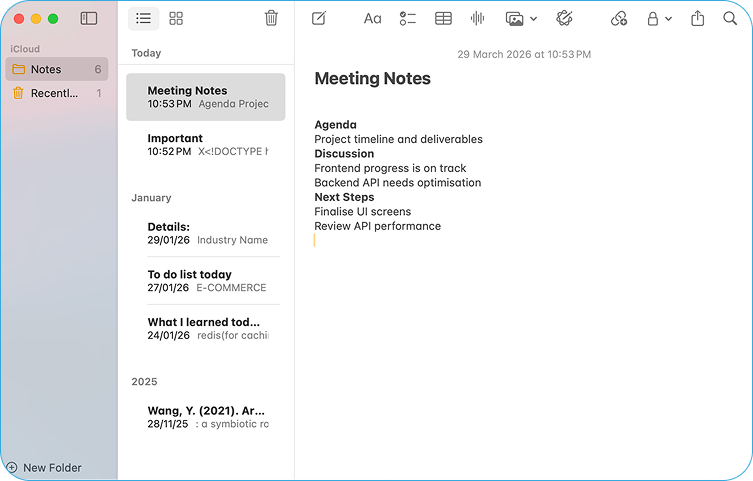 **Typical output:** leadership-ready report with blockers and highlights.
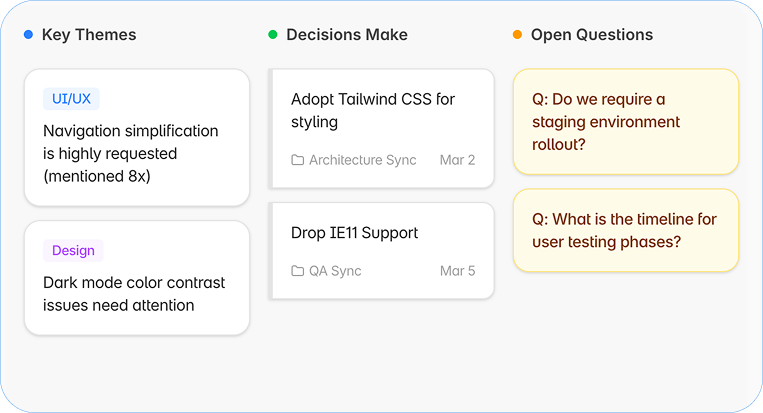
Convert raw meeting notes into themes, decisions, and open questions.
```text theme={null}
Analyze my meeting notes from this month regarding the 'Project Phoenix' redesign. Identify Themes, Decisions, and Unresolved questions visually.
```
**Typical output:** leadership-ready report with blockers and highlights.
Convert raw meeting notes into themes, decisions, and open questions.
```text theme={null}
Analyze my meeting notes from this month regarding the 'Project Phoenix' redesign. Identify Themes, Decisions, and Unresolved questions visually.
```
 **Typical output:** action-oriented summary for faster follow-up.
## Quick Start in 3 Steps
Describe the task in plain language and point Dume to a working folder or source.
Example: "Analyze receipts in `/Documents/Q1 Receipts` and build an expense sheet."
Dume breaks the task into steps and shows what it will do before major actions.
You can approve, refine, or cancel before it proceeds.
Dume executes and returns files, reports, or summaries in the requested format.
You can ask for edits in the same thread until it matches your needs.
## Beginner Prompt Templates
| Use Case | Prompt to Use |
| :------------------ | :-------------------------------------------------------------------------------------------------------------------------------------------------- |
| Refactor workspace | "Refactor the workspace directory by grouping files into logically organized folders based on their content type and contextual purpose." |
| Build expense sheet | "Extract data from this folder of receipts and invoices. Create a spreadsheet and save it as expense\_report\_q1.csv" |
| Prepare Notes | "Prepare structured notes from this information, organizing key points into clear sections like agenda, discussion, and next steps." |
| Extract Insights | "Analyze my meeting notes from this month regarding the 'Project Phoenix' redesign. Identify Themes, Decisions, and Unresolved questions visually." |
| Competitor snapshot | "Research competitor updates this week and generate a simple comparison table with key changes." |
## WhatsApp-Controlled Workflow
Describe what you need in plain English directly in your WhatsApp thread with Dume.
The AI agent begins work on your connected desktop environment immediately.
Monitor progress and review the completed outputs once you are back at your computer.
Use WhatsApp requests for high-level tasks, and include folder paths or output format when you want more precise results.
## Security and Control
Dume runs on your machine and works on folders you explicitly assign.
For major actions, Dume presents a plan and asks before proceeding.
You can inspect intended steps, redirect, or cancel before completion.
Specify output type and destination to keep workflows reliable.
## Best Practices for Better Results
* Start with one concrete task and one folder scope
* Always specify desired output format (`.csv`, `.docx`, markdown)
* Ask Dume to show the plan before execution for sensitive tasks
* Save reusable prompt templates for recurring work
* Review first outputs and tune wording before scaling to larger batches
***
**Pro Tip:** The best beginner prompt format is: **goal + folder + output format + approval rule**.
## Frequently Asked Questions
No. Dume CoWork is designed for plain-language task instructions. You just describe what you want in plain English.
File organization, spreadsheet generation, reporting, web-assisted research, and complex note analysis that requires local file access.
CoWork is task-execution focused: it doesn't just talk; it plans, acts on approved steps, and delivers concrete outputs like files and spreadsheets.
**Pro Tip:** For the best results, always specify your desired output format (like `.csv`, `.docx`, or Markdown) in your initial prompt.
**Typical output:** action-oriented summary for faster follow-up.
## Quick Start in 3 Steps
Describe the task in plain language and point Dume to a working folder or source.
Example: "Analyze receipts in `/Documents/Q1 Receipts` and build an expense sheet."
Dume breaks the task into steps and shows what it will do before major actions.
You can approve, refine, or cancel before it proceeds.
Dume executes and returns files, reports, or summaries in the requested format.
You can ask for edits in the same thread until it matches your needs.
## Beginner Prompt Templates
| Use Case | Prompt to Use |
| :------------------ | :-------------------------------------------------------------------------------------------------------------------------------------------------- |
| Refactor workspace | "Refactor the workspace directory by grouping files into logically organized folders based on their content type and contextual purpose." |
| Build expense sheet | "Extract data from this folder of receipts and invoices. Create a spreadsheet and save it as expense\_report\_q1.csv" |
| Prepare Notes | "Prepare structured notes from this information, organizing key points into clear sections like agenda, discussion, and next steps." |
| Extract Insights | "Analyze my meeting notes from this month regarding the 'Project Phoenix' redesign. Identify Themes, Decisions, and Unresolved questions visually." |
| Competitor snapshot | "Research competitor updates this week and generate a simple comparison table with key changes." |
## WhatsApp-Controlled Workflow
Describe what you need in plain English directly in your WhatsApp thread with Dume.
The AI agent begins work on your connected desktop environment immediately.
Monitor progress and review the completed outputs once you are back at your computer.
Use WhatsApp requests for high-level tasks, and include folder paths or output format when you want more precise results.
## Security and Control
Dume runs on your machine and works on folders you explicitly assign.
For major actions, Dume presents a plan and asks before proceeding.
You can inspect intended steps, redirect, or cancel before completion.
Specify output type and destination to keep workflows reliable.
## Best Practices for Better Results
* Start with one concrete task and one folder scope
* Always specify desired output format (`.csv`, `.docx`, markdown)
* Ask Dume to show the plan before execution for sensitive tasks
* Save reusable prompt templates for recurring work
* Review first outputs and tune wording before scaling to larger batches
***
**Pro Tip:** The best beginner prompt format is: **goal + folder + output format + approval rule**.
## Frequently Asked Questions
No. Dume CoWork is designed for plain-language task instructions. You just describe what you want in plain English.
File organization, spreadsheet generation, reporting, web-assisted research, and complex note analysis that requires local file access.
CoWork is task-execution focused: it doesn't just talk; it plans, acts on approved steps, and delivers concrete outputs like files and spreadsheets.
**Pro Tip:** For the best results, always specify your desired output format (like `.csv`, `.docx`, or Markdown) in your initial prompt.